Video files follow the same transcription workflow as audio recordings.
- Supported format:
.mp4 - Maximum size: 1 GB
- QInsights currently transcribes one file at a time
Uploading a video file
- From Upload New File, select your video file.
- Choose Auto-detect or a preset language for better transcription accuracy.
- Optionally add terms to the custom dictionary before transcription starts, then click Start transcription.
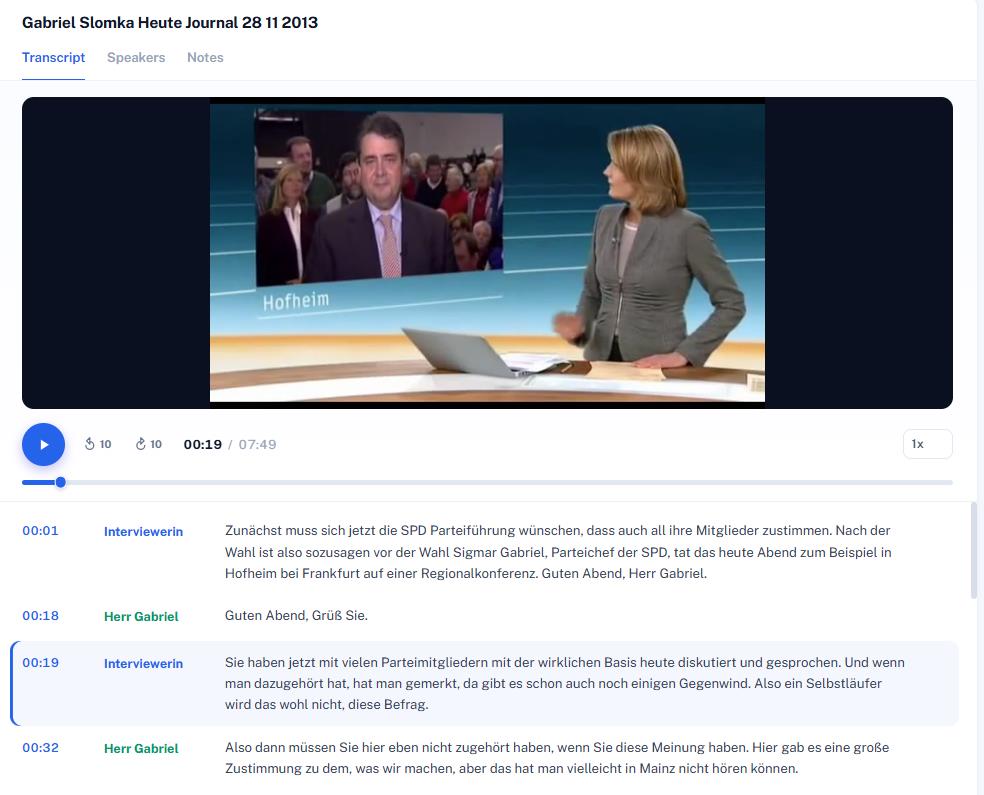
Once transcribed, the video stays linked to its transcript - when you review or edit the text later, the video plays alongside the corresponding segment, exactly as with audio.
Reviewing and editing
Use the same editing tools described in Transcript Formatting - click a time mark to jump to that point in the recording, double-click text to correct it, and use the Speakers tab to adjust names. Playback controls let you jump in 10-second intervals and adjust speed (0.75x–2x).
Next steps
Once your transcript is reviewed, open Data Context to assign speaker roles and define characteristics.