The Settings area manages your account, security options, subscription, and - if applicable - team administration. Use the left-hand menu to move between Profile, Security, Billing, and Admin Settings.
Profile
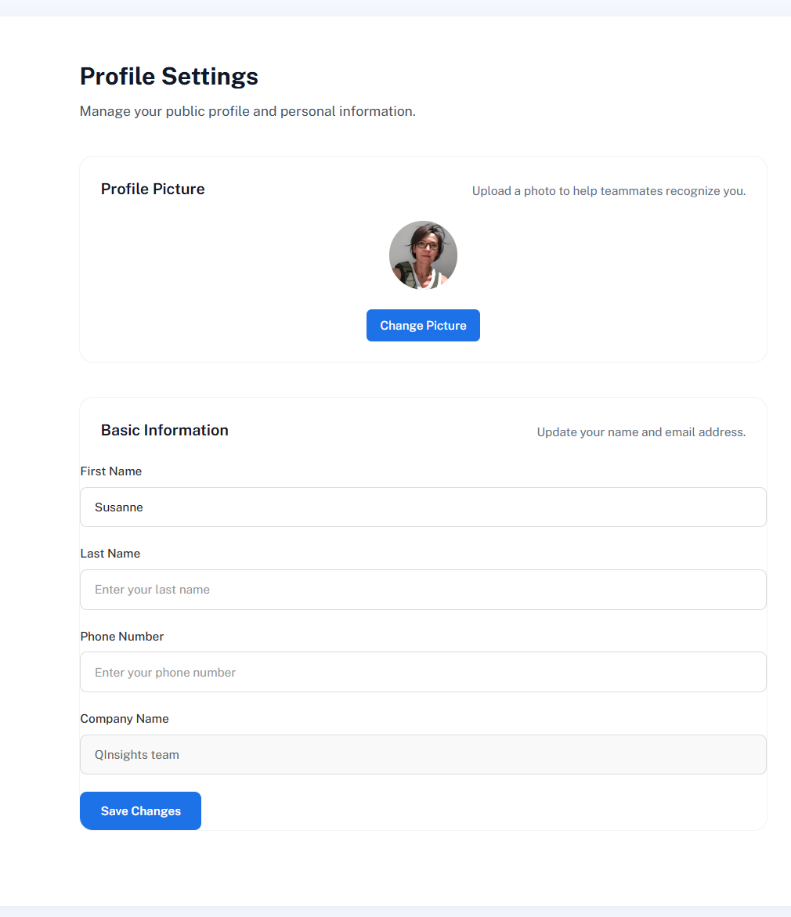
Upload or change your profile picture, and edit your first name, last name, phone number, and company name. Click Save Changes to apply updates. Your profile picture appears throughout the QInsights interface - on the dashboard, for example - helping teammates recognize you.
Security
View your account email and verification status, enable Multi-Factor Authentication, and change your password. See Data Security and Privacy for the full picture, including automatic logout after inactivity.
Billing
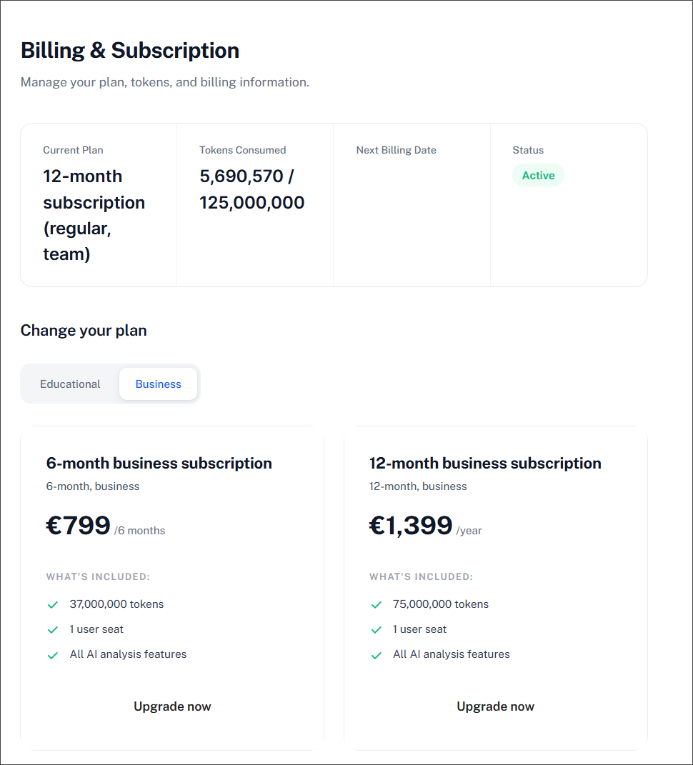
The Billing section shows your current plan, tokens consumed, remaining balance, total allowance, subscription status, and next renewal date.
Understanding token use
Tokens are consumed whenever QInsights processes your data and generates an analysis. The amount depends on how much data is selected, the type of analysis, the length of the generated response, and the number of follow-up questions asked. Running low doesn't affect analyses you've already completed and saved - you can purchase additional token packages at any time without changing your subscription.
Purchasing a licence
If you're on a trial and want to continue, select one of the available pricing options in Billing and click it to start the purchase. Your token allowance and renewal date are allocated automatically once the purchase completes.
Educational pricing
Educational pricing appears automatically for users registered with a recognized educational email address. If you believe you qualify but don't see the option, contact partnership@qinsights.ai.
Team subscriptions
For team subscriptions, contact partnership@qinsights.ai.
Admin settings and team licences
Admin Settings is only relevant for administering a team licence - licence sharing, token allocation at team level, and team membership. This is separate from project collaboration: sharing and co-working on individual projects isn't limited to team licences.
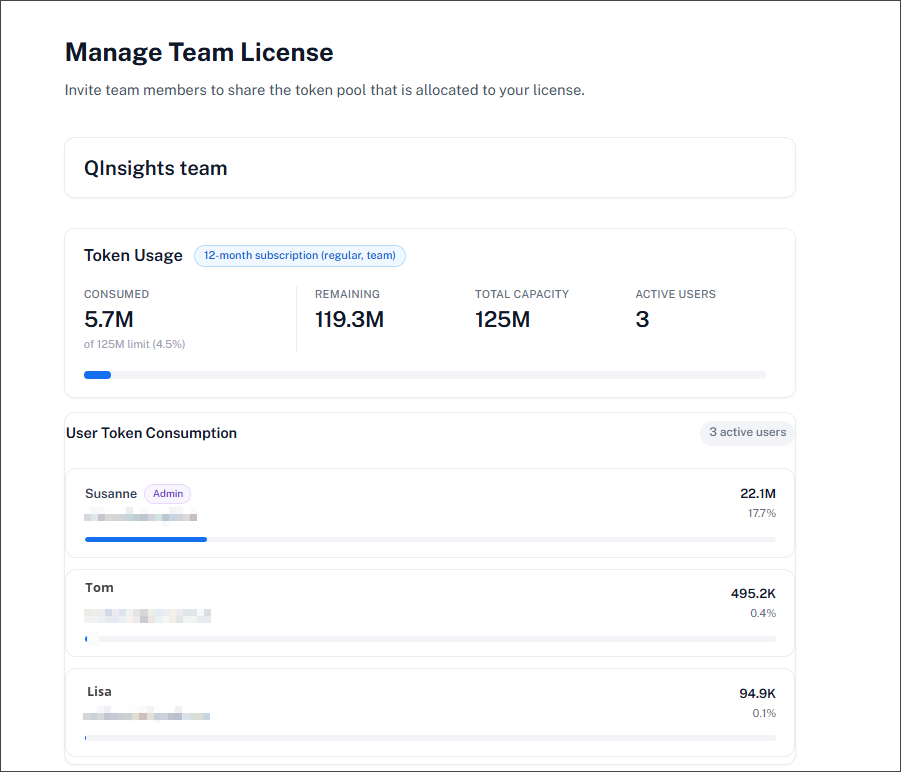
A team licence differs from an individual licence in two ways: it's available at a discounted rate, and all invited team members share one common token pool rather than a personal allocation. If a user is removed from the team, their access to the shared pool ends immediately - their personal account shows 0 tokens unless they hold a separate individual licence.
Managing team members
In the team management area you can invite a new user, view current members and their roles, see when each user joined, remove users, and view or cancel pending invitations. You can also see how many seats your licence includes - new users can only be invited until that limit is reached.
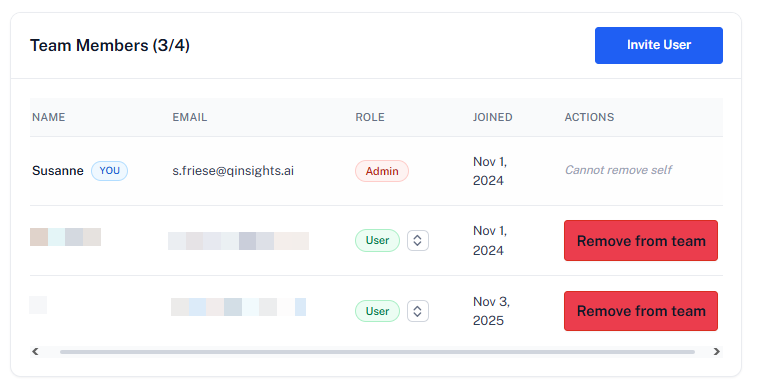
Changing a user's role: click the role selector next to a member's name to promote them to Admin or set them back to User - useful, for example, when an outgoing admin hands the role to someone else on the team.
Changing team members during the licence period
Team members can be swapped during the licence period. A 5-user licence, for example, doesn't require the same five people for the whole subscription - it allows up to five active members to use the shared licence pool at the same time. Members can be removed and replaced as project needs change.
Next steps
To collaborate on a specific project rather than manage licence-wide access, see Teamwork and Sharing.