QInsights offers five analysis options for different qualitative data and different analytic goals. Some give you a structured overview of your material; others support a more focused or interactive exploration.
Which one to choose depends on your data and what you want to find out - a broad map of the main topics, a case-by-case comparison, an open-ended exploration through dialogue, or evaluative language in short-text feedback.
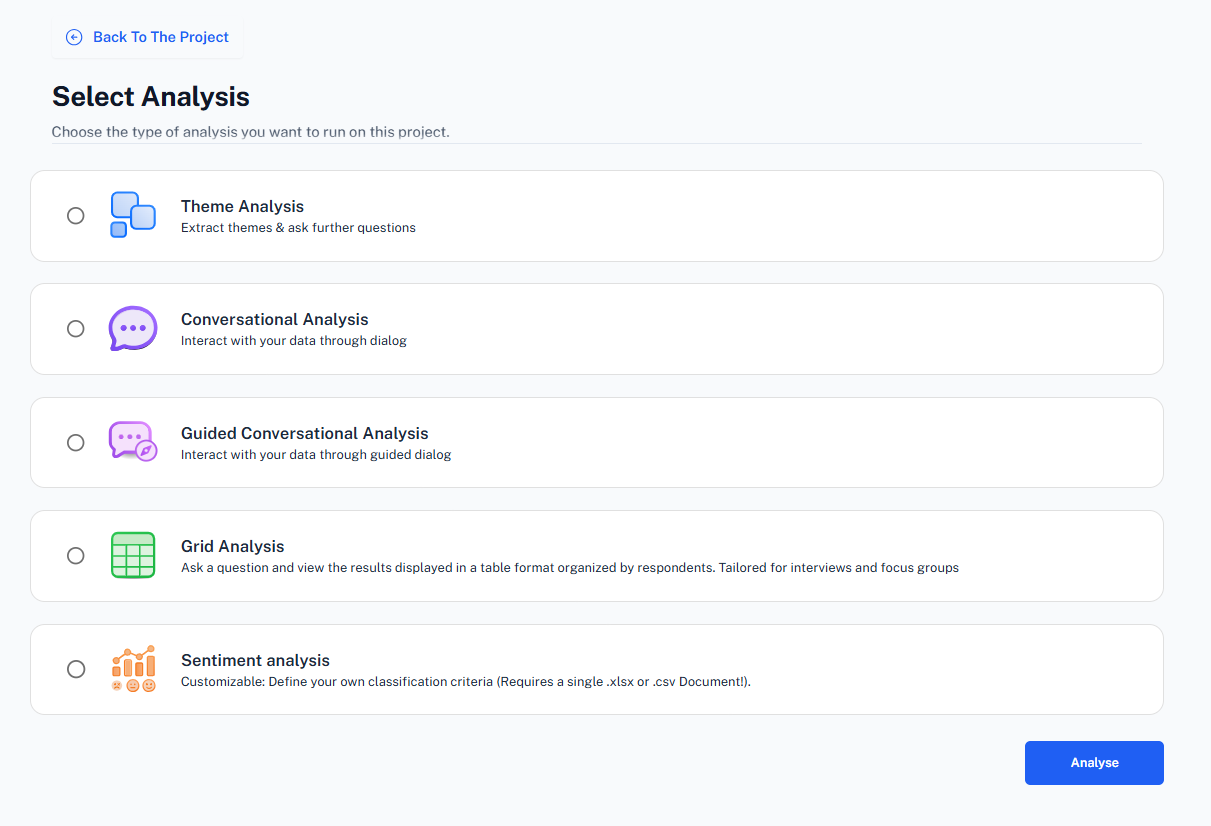
| Analysis | Formats | Best for |
|---|---|---|
| Theme Analysis | Word, PDF, Excel | A first structured overview of the main topics in your data |
| Conversational Analysis | Word, PDF, Excel | Open, researcher-led exploration through dialogue with Q |
| Guided Conversational Analysis | Word, PDF, Excel | Step-by-step exploration of a single topic, with Q suggesting questions |
| Grid Analysis | Word, PDF | Comparing what individual respondents said, case by case |
| Sentiment Analysis | Excel | Evaluative language in open-ended survey or feedback data |
A typical workflow
- Run a Theme Analysis first to map the main topics in your data.
- Pick a theme worth exploring and open Guided Conversational Analysis, or go straight to Conversational Analysis if you already know what you want to ask.
- Use Grid Analysis when you need to keep the respondent-by-respondent perspective visible, for example when following your interview guide question by question.
- For spreadsheet-based feedback, use Sentiment Analysis to classify evaluative language across custom dimensions you define.
Every completed analysis is saved to the Analysis Archive, where you can reopen it, continue a follow-up chat, or organize it into folders.
For guidance on how to phrase questions well across any of these modes, see Prompting Strategies and Analytic Questions and Templates.