Theme Analysis scans your data to identify recurring topics, ideas, and patterns. QInsights groups related content into themes, generates a title for each, and provides a short description supported by references back to your data.
Supported formats:
- Word files - typically interview or focus group transcripts
- PDF files - often articles and reports
- Excel files - ideal for open-ended survey responses, discussion boards, stakeholder feedback, or social media comments
A content-mapping approach, not coding
Theme Analysis gives you a high-level content map of your data - a starting point that highlights areas worth exploring further, not a finished thematic analysis. While the term "theme" may evoke thematic analysis approaches like Braun and Clarke's, in QInsights themes are data-driven insights that surface early to help you navigate your material. They're exploratory and pragmatic, designed to give you an actionable entry point while you stay in control of the direction and depth of the analysis.
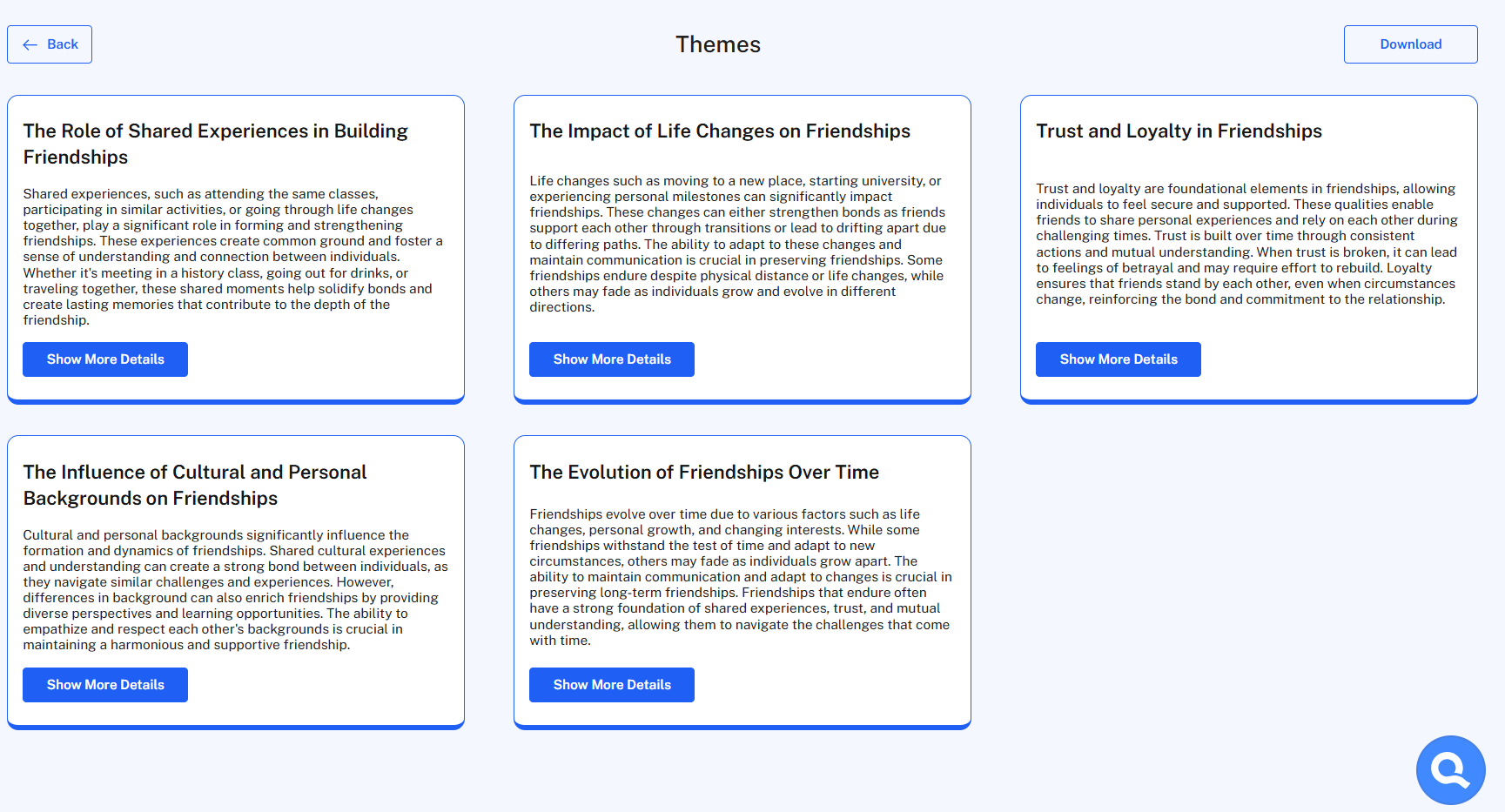
How it works
QInsights analyzes your selected documents and identifies 2 to 10 themes, each representing a significant topic or pattern, with a short description summarizing its relevance.
Reviewing a theme (Word and PDF)
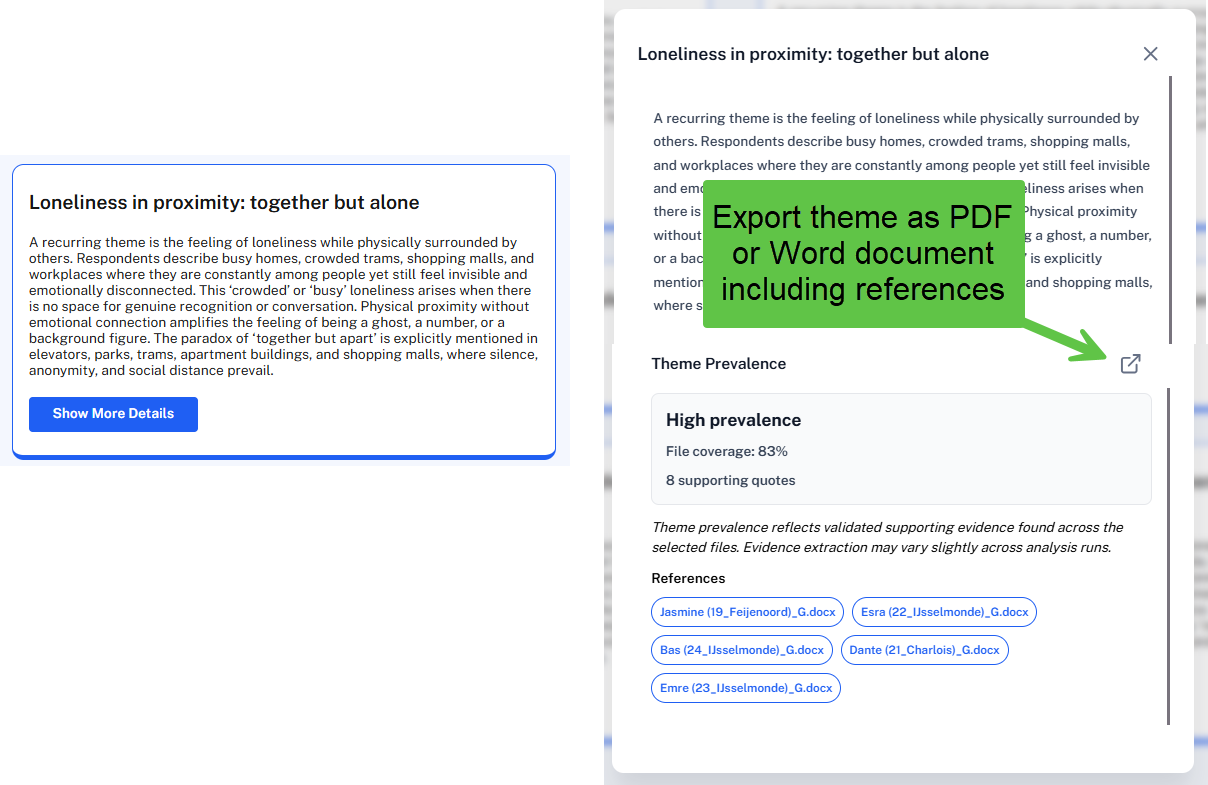
Click Show more Details on a theme to see its prevalence - how many documents it occurs in - and how many quotes support it.
Click any document name under References to open a preview highlighting the supporting data segments in yellow. Use Next/Previous to move through them.
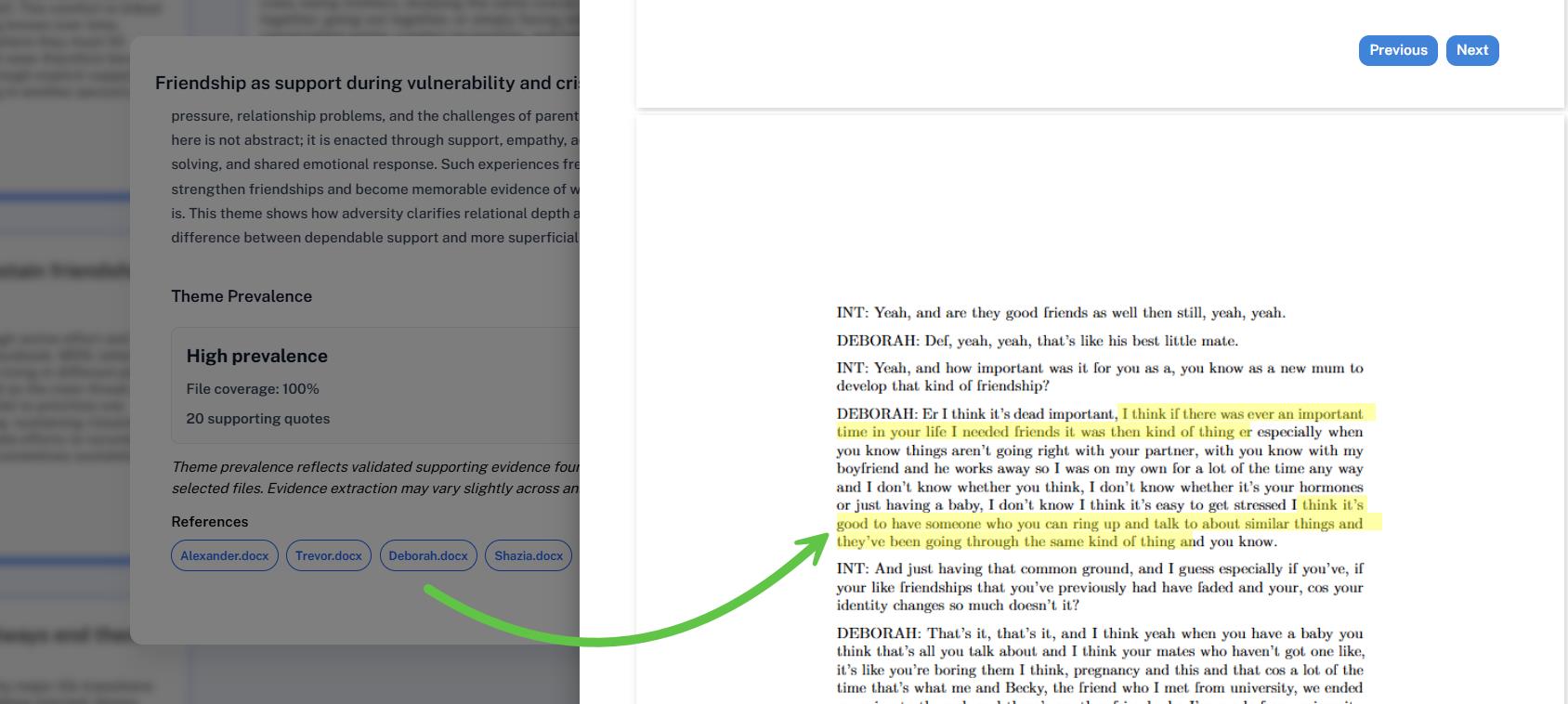
Highlights point you to the right region of the document, not to precisely coded segments - sometimes only half a sentence is highlighted. Treat them as pointers for validating Q's answer against your data, not as formal coding.
Exporting results (Word and PDF)
Export your results as a PDF: the first section lists all themes with their prevalence (occurs / does not occur in X% of documents); the second lists each theme's description and per-document references. To get a Word file, click Download, then copy the preview into a Word document.
References and export (Excel)
Click Show More Details on a theme to generate a detailed reference export: QInsights fetches every matching data segment (this can take a few minutes), and you can review the results - including all imported variables - before exporting.
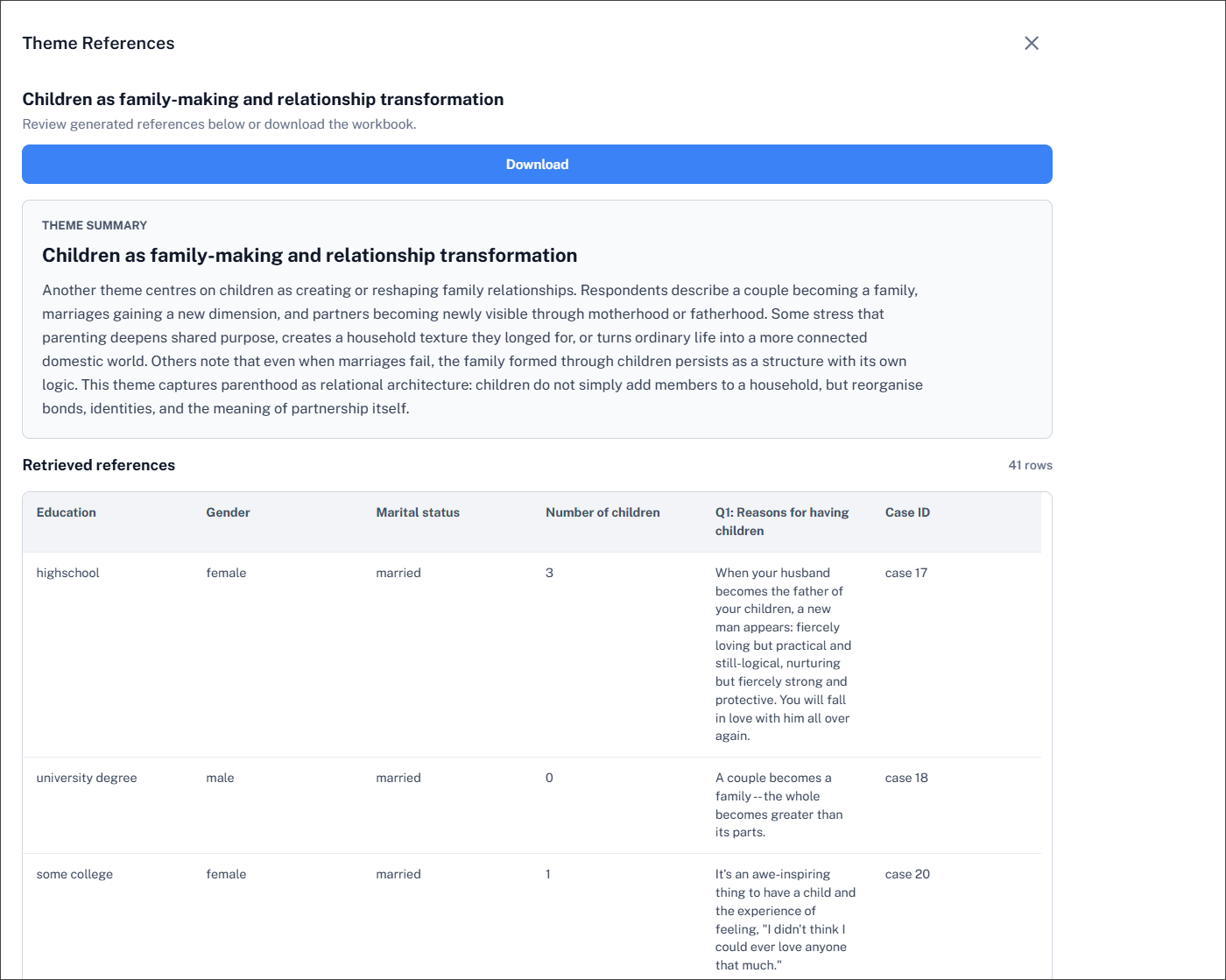
Click Download to export a single theme, or Download all references to export every theme at once.
Exploring further with follow-up chats
Themes are a starting point, not an endpoint. Click the Q icon at the bottom of the themes view to open a follow-up chat linked to that Theme Analysis in the Analysis Archive. Use it to:
- prioritize which topics to investigate further, based on prevalence
- ask targeted questions about a specific theme
- get a fast sense of what your data is "about" before deeper analysis
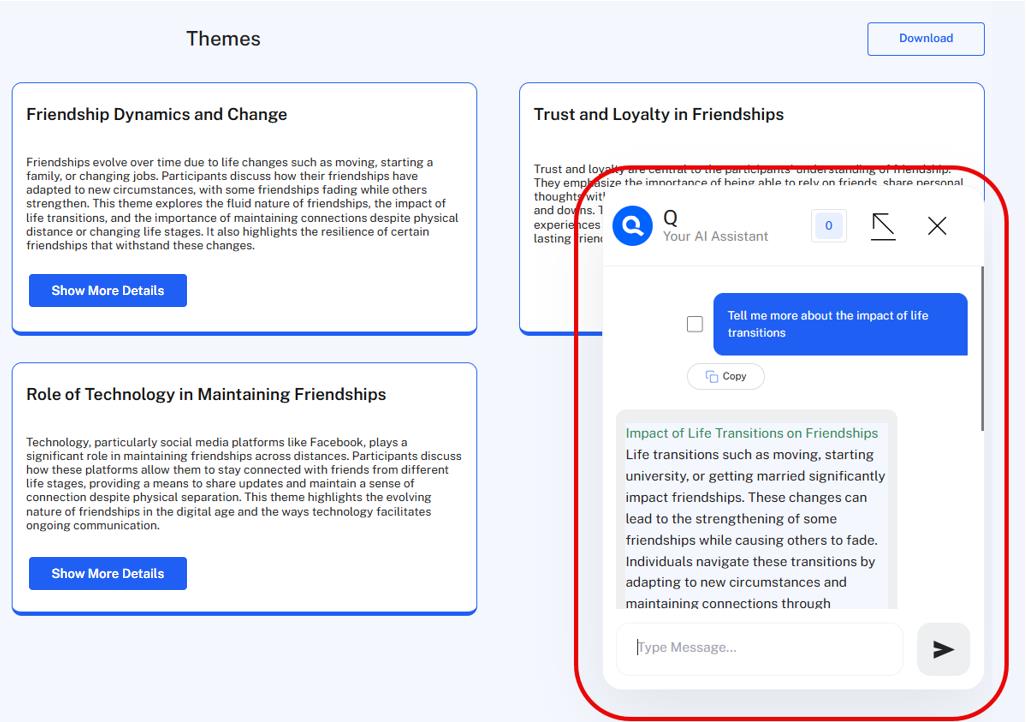
Click the arrow icon to expand the chat to full-screen, or again to return to the split view showing both the chat and the themes.
Next steps
Once you've mapped the main themes, dig deeper with Guided Conversational Analysis on a specific topic, or move to open-ended Conversational Analysis.