
When analyzing interview and focus group transcripts, you may want to attach metadata to the various speakers - age, gender, region, educational level, profession, and so on. This metadata can be used for filtering documents by selected criteria, or simply invoked in a prompt: "Do respondents from different educational backgrounds differ in their response to…?"
Formatting Speaker IDs
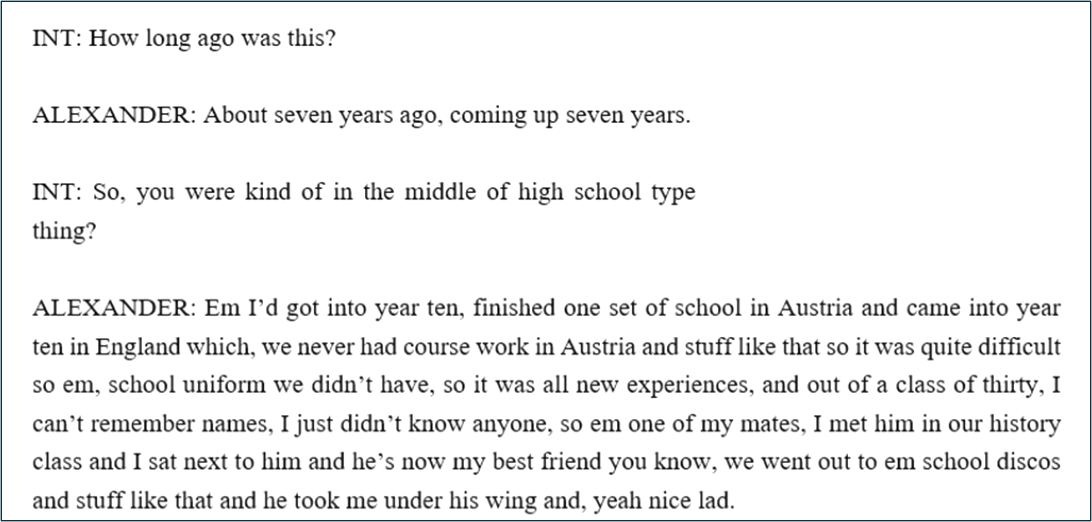
QInsights recognizes speakers reliably when you use the following format for speaker IDs: a name followed by a colon, for example Alexander:.
Don't use a generic speaker ID for respondents. We recommend that you do not use generic names like
R:for respondent,Speaker 1andSpeaker 2, orSpeaker AandSpeaker B. This will make it difficult for you in the analysis to distinguish the speakers/respondents across various documents or focus groups.
Anonymizing Transcripts You Prepare Yourself
When you transcribe the data yourself, or get a transcription from another service, you may want to anonymize it (see Data Anonymizer Tool). Instead of using generic names, you can make up random names that do not link back to the original respondents. This way you have a unique name for each respondent, which will make the analysis easier to follow.
Next Steps
Continue to Excel Files and Survey Data to prepare spreadsheet-based responses, or move on to Project Creation once your files are ready. When you're ready to upload a transcript prepared this way, see Adding Transcripts Created Elsewhere.