
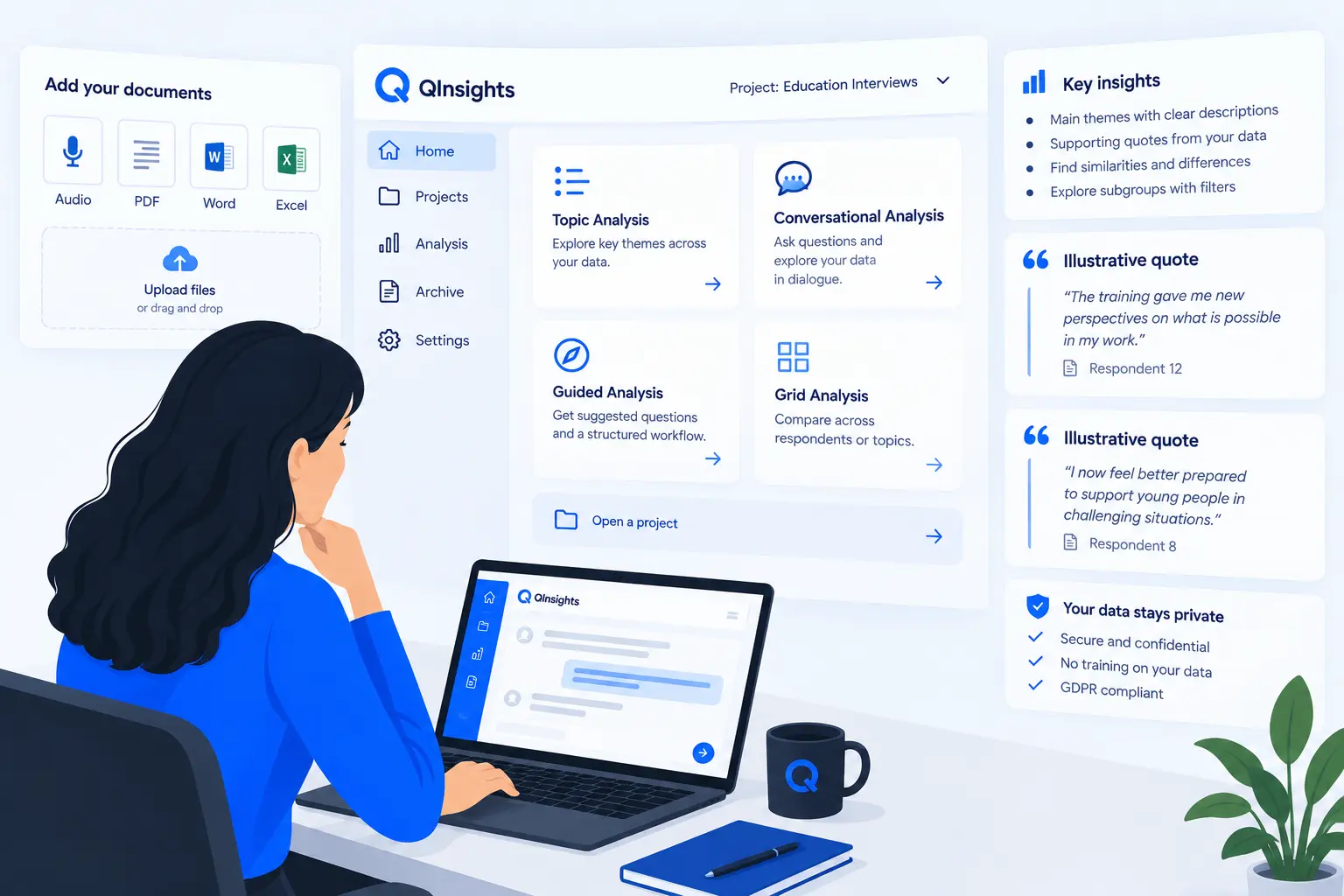
QInsights is an AI-powered platform for qualitative data analysis. It is designed for researchers, evaluators, consultants, and insight teams who work with unstructured data such as interview transcripts, focus groups, open-ended survey responses, reports, audio, and video files.
QInsights was built on a simple idea: AI can support qualitative analysis, but it should not replace the researcher’s judgment. Good analysis requires interpretation, reflection, and methodological care. For that reason, QInsights is not a one-click solution that produces polished answers without showing how they were reached. Instead, it is an interactive analysis environment in which AI supports the user in exploring patterns, asking focused questions, comparing perspectives, and developing insights that remain linked to the underlying data.
The platform is designed to make qualitative analysis more accessible and more efficient without sacrificing rigour. It helps users move from raw material to meaningful findings through a guided yet flexible workflow. You remain in control of the process at every step: defining the focus, reviewing responses, checking references, refining questions, and deciding how to interpret the results.
A central principle of QInsights is transparency. Insights generated in the platform are grounded in the uploaded material and linked back to the original data segments used to support them. This allows users to inspect, validate, and challenge the output rather than simply accept it. In this way, QInsights supports a form of human-AI collaboration in which the strengths of both come together: the speed and pattern-recognition capabilities of AI, and the contextual understanding, critical thinking, and responsibility of the researcher.
QInsights supports different ways of working with qualitative data. You can upload and organise your material, add metadata, explore topics, analyse conversations in more depth, compare responses across cases, and follow up on emerging findings through dialogue with the system. Whether you are working on academic research, evaluation studies, market research, or organisational learning, QInsights provides a structured environment for turning unstructured data into defensible insights.
This manual explains how to work with QInsights step by step. It introduces the main features of the platform, shows how to set up and manage projects, and provides guidance on how to use the available analysis options effectively. The aim is not only to help you operate the software, but also to support you in using it well.