
QInsights offers five analysis options to support different types of qualitative data and different analytic goals. Some options are designed to give you a structured overview of your material, while others support a more focused or interactive exploration of the data.
Which option you choose depends on the type of data you uploaded and what you want to find out. You may want to identify broad patterns across a dataset, compare what individual respondents have said, explore the material through targeted questions, or examine evaluative language in open-ended responses.
Each analysis option supports a different analytic task and is suited to particular data formats. The overview below introduces the available options and indicates which file types are supported for which analysis.
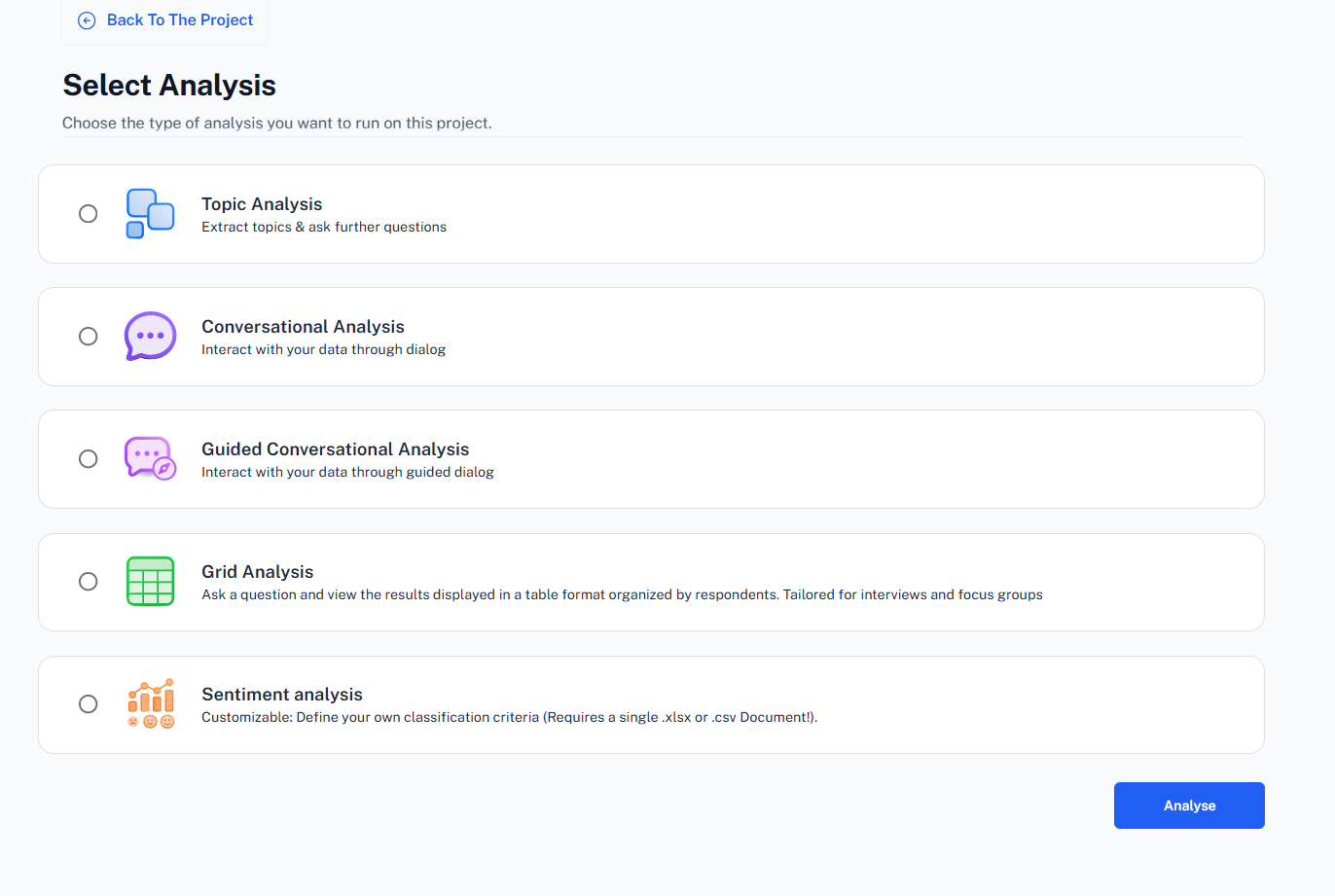
Topic Analysis (Docx, PDF, Excel)
Topic Analysis scans your data to identify recurring ideas, and patterns. QInsights groups related content into topics, generates a title for each and provides a short description supported by references from the data. It is useful when you want a first structured overview of the main issues in a dataset.
Grid Analysis (Docx, PDF)
Grid Analysis helps you compare what individual respondents have said about a question or topic. The results are displayed case by case, making it easier to review similarities, differences, and patterns across interviews or focus groups. It is especially useful when the respondent perspective needs to remain visible.
Conversational Analysis (Docx, PDF, Excel)
Conversational Analysis is an open, interactive way of working with your data. You ask questions, refine them, and follow up on emerging insights while QInsights retrieves and analyses relevant material from the dataset. It is useful when you want to explore the data in a flexible and researcher-led way.
Guided Conversational Analysis (Docx, PDF, Excel)
Guided Conversational Analysis supports you step by step in exploring a theme or topic in more depth. Instead of starting with your own prompt, QInsights guides the process by suggesting a structured sequence of analytic questions. This helps you move from an initial overview to a more focused interpretation of patterns, differences, and underlying meanings in the data.
Sentiment Analysis for semi-structured data (Excel)
Sentiment Analysis for semi-structured data examines evaluative expressions in open-ended responses. Rather than limiting the analysis to positive, negative, or neutral, QInsights allows you to define the dimensions you want to analyse, such as satisfaction, frustration, or trust, in relation to a specific topic. This is especially useful for survey comments and other short-text feedback.