Audio and Video Recordings
Supported formats are:
- Audio:
.mp3,.m4a - Video:
.mp4 - Maximum size: 1 GB
There's nothing further to prepare on your end - QInsights transcribes the file for you once it's uploaded. See Transcribing Audio or Video Files for that workflow, including the custom dictionary and reviewing the resulting transcript.
Continue to Creating a Project once your files are ready.
Transcripts Created Elsewhere
When analysing interview and focus group transcripts, you may want to attach meta data to the various speakers like age, gender, region, educational level, profession, etc. These meta data can be used for filtering documents by selected criteria or simply be evoked on a prompt: “Do respondent from different educational backgrounds differ with regard to their response to…..”
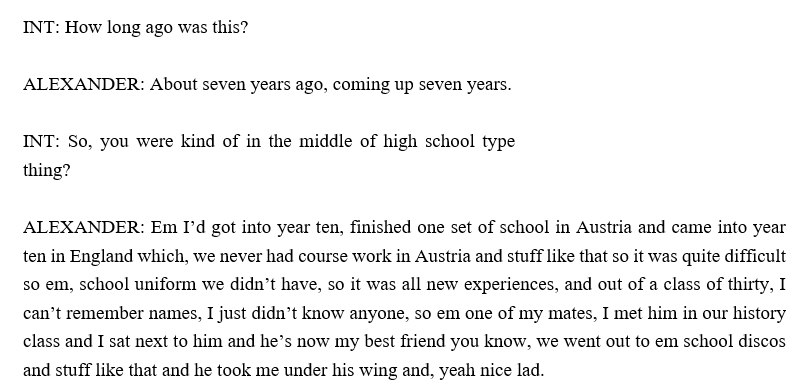
QInsights can recognize speakers reliably when you use the following format for speaker IDs: Name followed by a colon (Alexander :). In the following you see an interview excerpt:
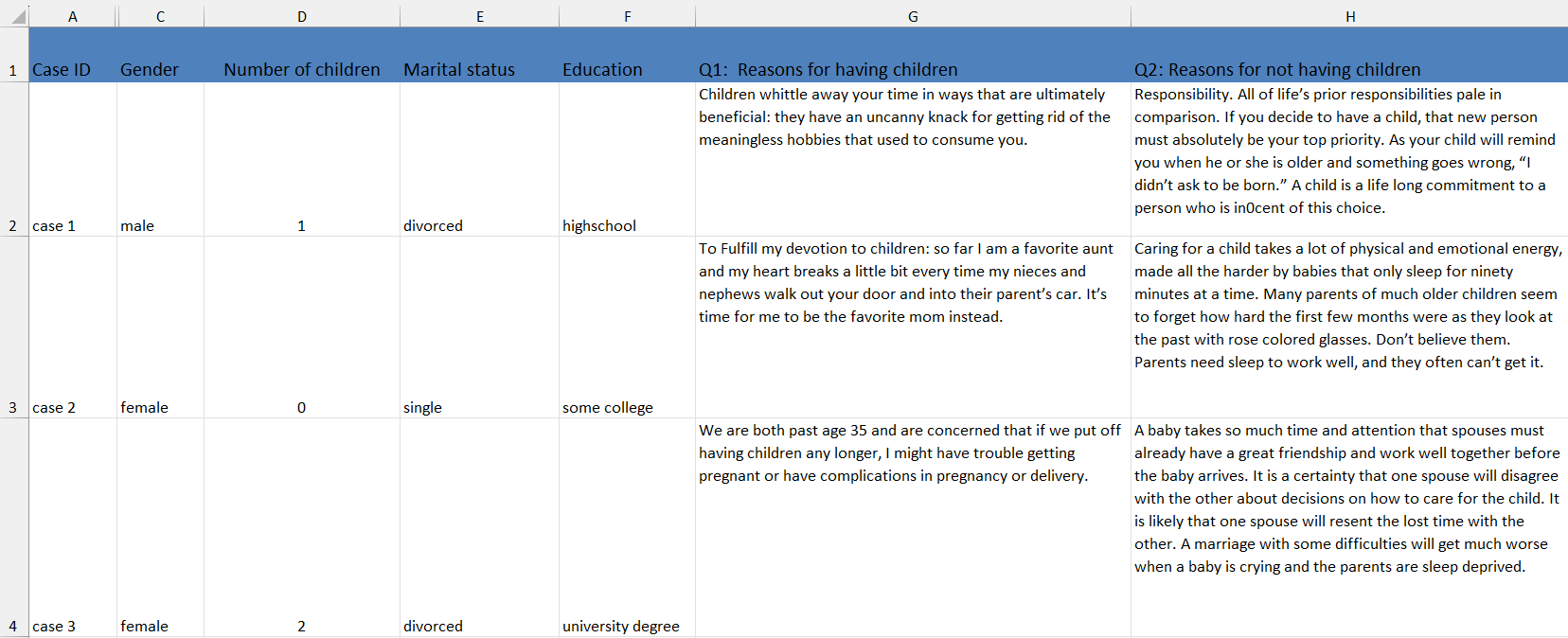
Excel Files / Survey Data
Excel files are well suited for analysing short to medium-length text entries that are organised row by row. This includes classic open-ended survey responses, but also many other types of qualitative feedback such as social media comments, customer reviews, evaluation comments, app or game feedback, and similar text-based responses.
In general, we recommend working with files of up to about 1,000 cases per Excel file. Slightly larger files may still work, depending on the length and complexity of the responses, but very large datasets should be split into smaller files.
Please prepare Excel files as follows:
- Remove all header and footer information.
- The Excel file should contain only one sheet.
- Each row should represent one case, response, or unit of analysis.

Column headers may include case IDs, names, variable names, numbers of likes for social media data, titles of open-ended questions, columns containing customer reviews, or other text data you want to analyse.
QInsights reads these columns automatically and adds them to the Data Context, where they can be used for filtering, comparison, and subgroup analysis.