
To add an Excel file, follow the same first step as for Word and PDF documents: click Upload New File, select the Excel file you want to upload, and click Proceed.
In the next step, you'll see a window showing the column headers in your file. At this stage, you define which columns should be treated as profile data and which columns contain the text data to be analyzed.
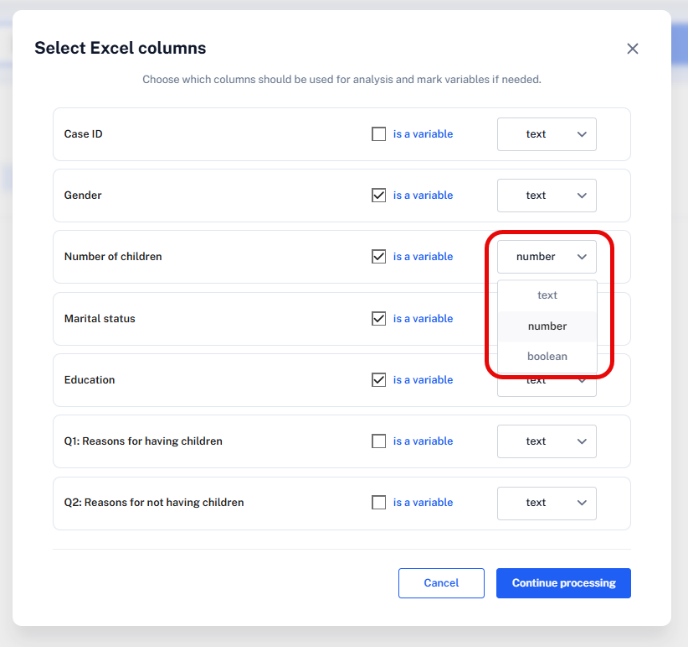
For each column, decide whether it should be added to the Data Context:
- Select "is a variable" for all columns that contain background information, identifiers, ratings, or other metadata you want to use later for filtering, comparison, or subgroup analysis. Examples: gender, age, education, marital status, number of children.
- Leave columns unchecked if they contain the actual text responses to be analyzed - answers to open-ended questions, review text, comments, or feedback.
For each selected variable, also define its type: Text, Number, or Boolean.
After making your selection, click Continue Processing.
Tip: classify case IDs or other identifiers as data to be analyzed rather than as a variable. This way you can include case IDs or other identifiers as references when you ask for direct quotes in a chat answer.
Reviewing the Imported Data Context
After the data is processed, you can check how it's stored: click Data Context → Values → Respondents.
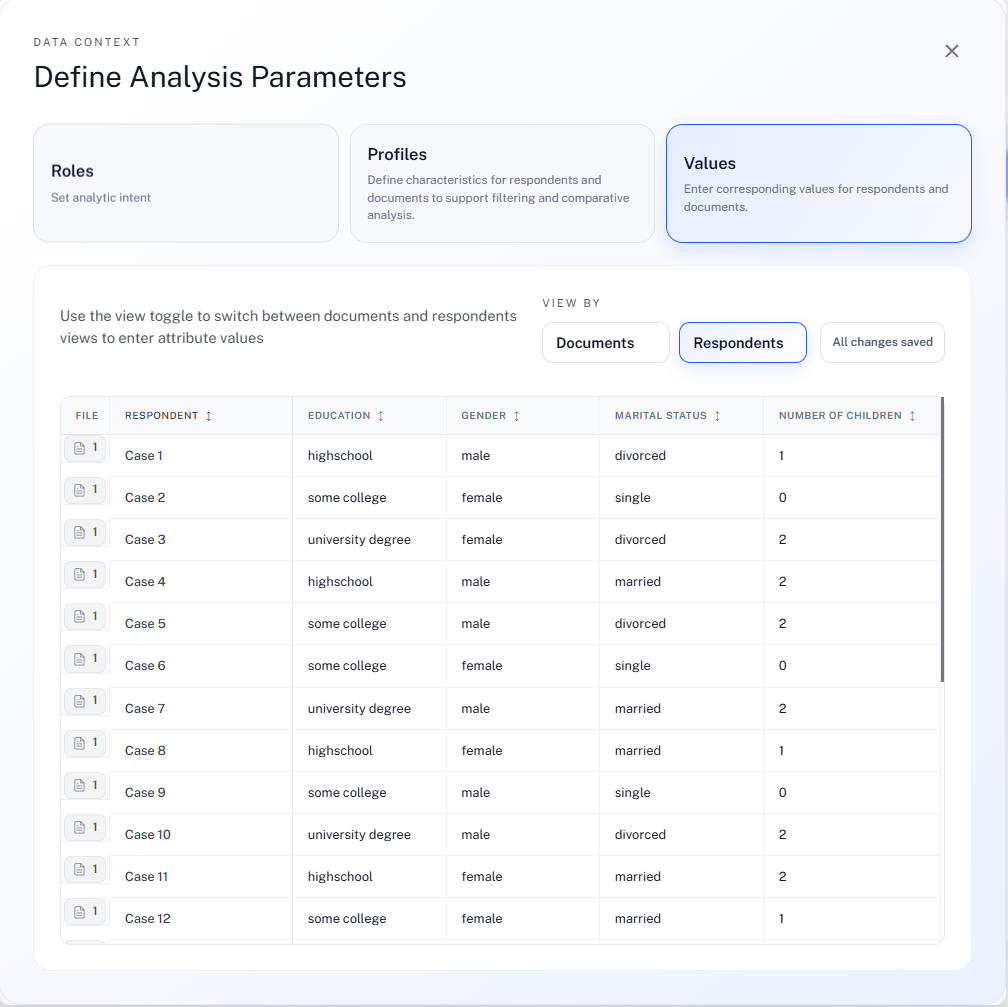
How Profile Data Is Used in Each Analysis Mode
- Conversational Analysis - subgroup analysis is the most flexible. You can refer directly to profile data in your prompt, for example by asking about responses from women, younger participants, or respondents with a certain rating.
- Sentiment Analysis - subgroup exploration is often most useful in a follow-up chat, where you can ask more targeted questions about specific respondent groups or profile characteristics.
- Theme Analysis - respondent filters set in advance are recognized during the analysis, so you can run it on a defined subset of the Excel data.
Next Steps
Continue to Project View After Data Are Uploaded to see your file listed alongside the rest of your project.